Know what’s on your site before a plaintiff’s firm does
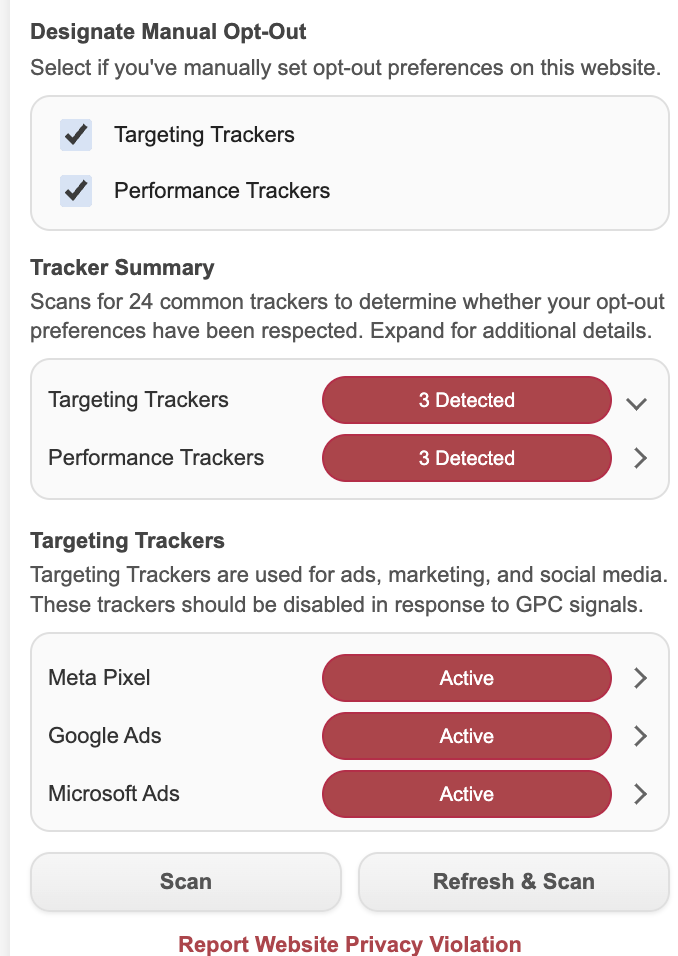
A free privacy audit shows which cookies, pixels and trackers are running — and which ones commonly appear in privacy claims.
A banner cookie policy is the concise, front-line privacy notice displayed on a user’s first visit to your website that explains what tracking technologies you use, why you use them, and how visitors can accept, reject, or customize their consent before non-essential tags fire. Getting the copy, UX, and underlying script-blocking right protects your business from regulatory fines and plaintiff demand letters while building immediate visitor trust.
Global Legal Requirements Governing Your Cookie Banner
Your banner cookie policy must adapt dynamically to where your visitor is located, because opt-in and opt-out regimes enforce fundamentally different rules:
1. GDPR & ePrivacy Directive (EU & UK)
Under GDPR Recital 32 and the ePrivacy Directive, consent must be prior, freely given, specific, informed, and unambiguous. Non-essential cookies (analytics, retargeting pixels, social media embeds) are strictly blocked until the user clicks “Accept”. Regulators across Europe—including France’s CNIL and the UK’s ICO—enforce equal visual weight between “Accept” and “Reject” buttons and ban pre-ticked boxes.
2. CCPA / CPRA & US State Privacy Laws
California’s CPRA (alongside state laws in Texas, Virginia, Colorado, and over a dozen other states) operates primarily on an opt-out model, but still mandates strict notice at collection. If your site uses ad-tech pixels that constitute “selling” or “sharing” personal data for cross-context behavioral advertising, your banner must disclose third-party sharing, offer an immediate opt-out mechanism, and automatically honor Global Privacy Control (GPC) browser signals.
3. CIPA & Wiretapping Litigation Risks
In the United States, plaintiff firms increasingly target websites under the California Invasion of Privacy Act (CIPA) and state wiretapping statutes over chat widgets, session replay tools, and third-party tracking pixels firing before consent. Configuring your banner to hold third-party pixels until affirmative interaction significantly reduces litigation exposure.
7 Essential Elements Every Compliant Cookie Banner Needs
- Zero Pre-Firing of Non-Essential Tags: A banner that appears while Google Analytics, Meta Pixels, or ad scripts are already firing in the background fails compliance immediately.
- Plain-Language Purpose Statement: Clearly state why you use cookies (e.g., site security, traffic measurement, personalized advertising) without hiding behind vague phrases like “to improve your experience” alone.
- Symmetrical “Accept” and “Reject” Buttons: Both choices must appear on the first layer with equal prominence—no hidden “Reject” links buried two clicks deep in small gray text.
- Granular Category Toggles: Users must be able to opt into specific categories (Strictly Necessary, Performance/Analytics, Functional, Marketing) with all non-essential boxes unchecked by default.
- Direct Link to Your Full Cookie Policy: Include a clearly labeled anchor link to your complete Cookie Policy and Cookie Transparency Page.
- Automated GPC Signal Detection: Automatically suppress marketing and data-sharing cookies when a visitor’s browser broadcasts a Global Privacy Control signal.
- Cryptographic Consent Logging & Easy Withdrawal: Store timestamped proof of each visitor’s consent choice (GDPR Recital 42) and provide a persistent footer icon so users can revoke consent as easily as they gave it.
Ready-to-Use Banner Cookie Policy Templates
Use these compliant copy templates as a starting point inside your Captain Compliance CMP:
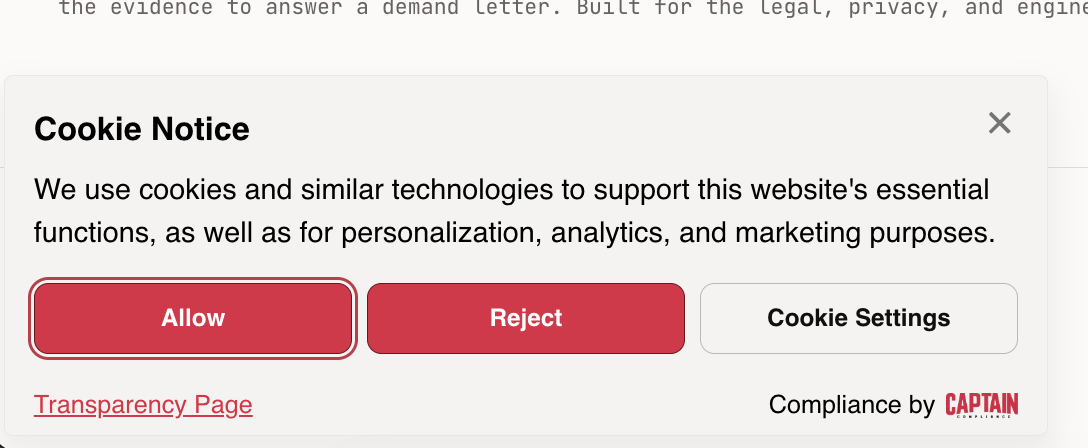
Template A: Strict Opt-In Banner (GDPR / Global Standard)
We Value Your Privacy
We use strictly necessary cookies to make our site work. With your consent, we also use analytics and marketing cookies to measure traffic, personalize content, and share data with our advertising partners. Click “Accept All” to consent, “Reject All” to allow only essential cookies, or “Manage Preferences” to customize your choices. Read our Cookie Policy for details.Buttons: [Reject All] | [Manage Preferences] | [Accept All]
Template B: US Opt-Out & Transparency Banner (CCPA / CPRA)
Cookie & Data Sharing Notice
We use cookies and third-party pixels to operate this website, analyze performance, and deliver targeted ads—which may be considered “sharing” or “selling” under state privacy laws. You can opt out at any time or manage your preferences below. View our Cookie Policy and Privacy Policy.Buttons: [Do Not Sell or Share My Personal Information] | [Cookie Settings] | [Got It]
5 Compliance Mistakes That Trigger Audits and Lawsuits
- Dark Patterns & Confirmshaming: Using high-contrast buttons for “Accept” while styling “Reject” as low-contrast text, or writing manipulative copy like “No thanks, I hate relevant offers.”
- Implied Consent via Scrolling: Treating page scrolling or closing an “X” icon as valid consent—regulators explicitly reject implied consent.
- Mismatched Cookie Lifetimes: Claiming in your cookie policy that an analytics cookie expires in 30 days when your site actually sets a 2-year identifier.
- Forgetting Newly Added Marketing Pixels: Marketing teams frequently deploy new scripts via Google Tag Manager without categorizing them in the CMP, breaking prior-consent blocking.
- No Audit Trail: Being unable to produce timestamped consent logs when a regulator or data subject submits a verification request.
Frequently Asked Questions
Does my website need a banner cookie policy if we only use Google Analytics?
Yes. Under GDPR and UK/EU ePrivacy rules, analytics cookies are not “strictly necessary,” meaning you must obtain explicit opt-in consent before loading Google Analytics. Under US state laws, you must disclose analytics tracking in your privacy and cookie notices.
Can I put my entire cookie policy inside the banner?
You shouldn’t. Regulators require layered notices so users aren’t overwhelmed by walls of legal text. Keep the banner concise and link directly to your full Cookie Policy and Transparency Page.
How often do users need to re-confirm their cookie banner choices?
Most European data protection authorities (such as France’s CNIL) recommend renewing consent every 6 to 12 months, or immediately whenever you add new tracking vendors or change how you process personal data.
Put this into practice
Turn privacy guidance into working controls.
Captain Compliance helps teams discover tracking technologies, enforce consent, manage privacy requests and document the evidence behind every decision.