As privacy regulations continue to tighten globally — from GDPR in Europe to CCPA in California to HIPAA in the US healthcare sector — organizations face mounting pressure to ensure their mobile-facing digital products handle user data responsibly and securely. One of the most powerful tools for auditing that security posture is Burp Suite, developed by PortSwigger. Originally built as a web penetration testing platform, Burp Suite has evolved into a comprehensive Dynamic Application Security Testing (DAST) toolkit that security professionals widely use to inspect mobile apps and mobile websites for the kinds of vulnerabilities that can lead to compliance failures.
This piece explores how Burp Suite can be practically applied to mobile privacy compliance testing, what it can and cannot detect, and how it fits into a broader compliance strategy.
What Is Burp Suite?
Burp Suite comes in three main editions, scaling from manual testing to enterprise-grade automation:
| Edition | Target Audience | Core Capabilities |
|---|---|---|
| Burp Suite Community Edition | Individuals & learners | Free version offering core manual testing tools and basic traffic interception. |
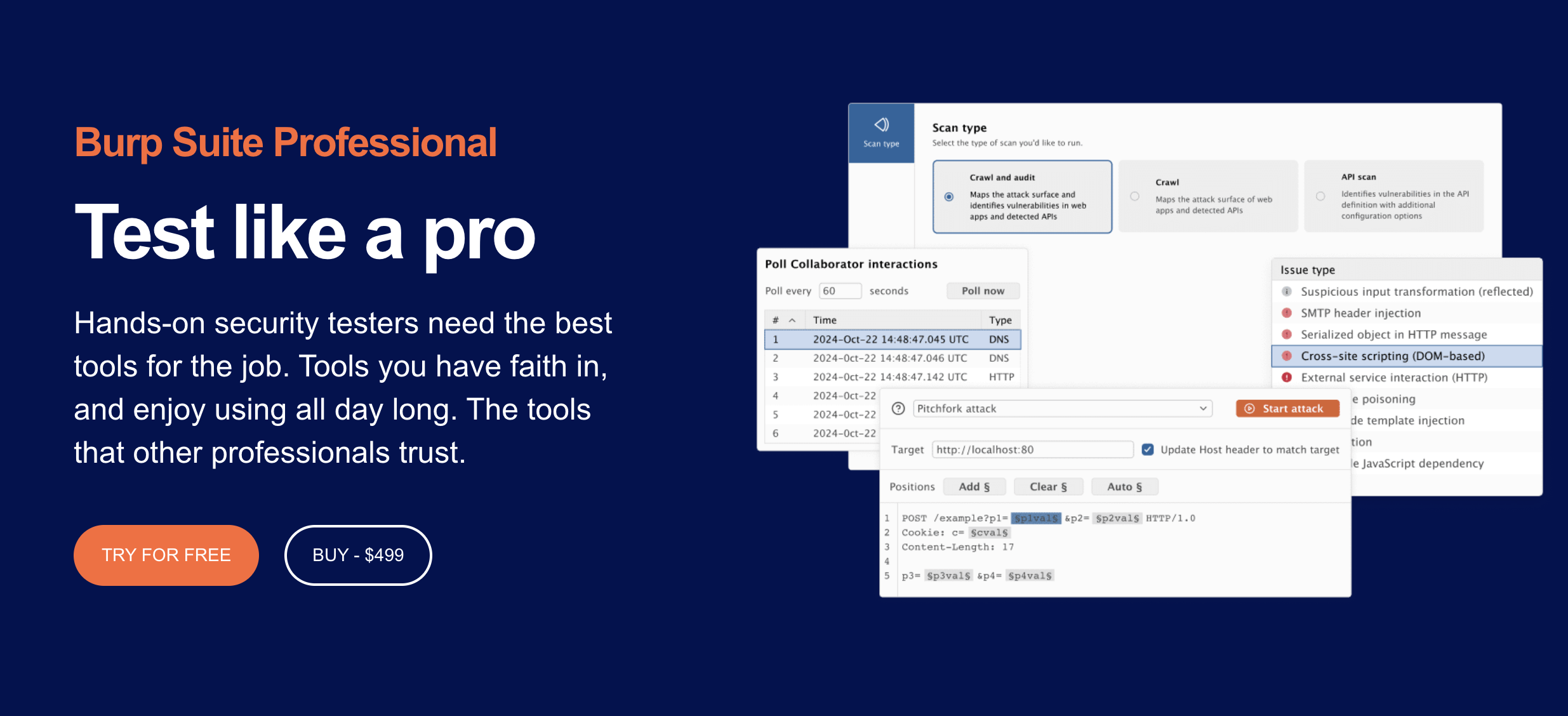
| Burp Suite Professional | Penetration testers & security pros | Full suite of manual and automated tools, including Burp Scanner, Intruder, and 300+ BApp extensions ($499/year). |
| Burp Suite DAST | AppSec & DevSecOps teams | Enterprise-grade automated scanning integrated into CI/CD pipelines with comprehensive compliance reporting. |
At the core of all editions is Burp Proxy — a man-in-the-middle (MitM) tool that intercepts and inspects all HTTP/HTTPS traffic passing between a client (whether a browser or a mobile app) and a web server. This is the critical mechanism that makes mobile testing possible.
How Mobile Testing Works in Burp Suite
Mobile applications — whether native iOS apps, native Android apps, or mobile-optimized websites — communicate with backend servers over the same HTTP/HTTPS protocols as desktop web applications. By routing a mobile device’s traffic through Burp Proxy, security testers can inspect, intercept, and modify that traffic in real time.
Setting Up iOS for Burp Testing
To test an iOS device with Burp Suite Professional, the process involves three main stages:
- The Burp Proxy listener is configured to accept connections on all network interfaces (typically on port 8082).
- The iOS device is connected to the same Wi-Fi network as the testing machine, and its proxy settings are manually configured to point to Burp’s listener.
- Critically for HTTPS traffic: Burp’s CA certificate is installed on the iOS device and trusted via Settings > General > About > Certificate Trust Settings.
Once activated, all HTTPS traffic from the device flows through Burp in plaintext, making it fully inspectable.
Setting Up Android for Burp Testing
The Android setup process follows the same general logic but with some important differences. From Android 7 (Nougat) onwards, apps that target the modern Android network security model do not trust user-installed CA certificates by default.
Security Note: To fully inspect HTTPS traffic from most native Android apps, a rooted device or an emulator with elevated privileges is typically required. PortSwigger explicitly cautions that rooting a device fundamentally compromises its security model and may void warranties.
For mobile websites accessed through a browser, the setup is somewhat simpler, as the browser’s trust store is more accessible.
Certificate Pinning: The Key Technical Hurdle
A common complication in mobile app testing is TLS certificate pinning, where an app is hardcoded to only trust a specific server certificate or public key. Burp’s CA certificate will be rejected by such apps, breaking the proxy interception.
Bypassing certificate pinning typically requires additional dynamic instrumentation toolkits—such as Frida or Objection—that hook into the app at runtime and patch out the pinning logic. This is an advanced technique outside of Burp itself, but it is a well-understood part of mobile penetration testing methodology.
What Burp Suite Looks For — and Why It Matters for Privacy Compliance
Privacy laws are not merely about data consent forms and cookie banners. Regulations like GDPR, CCPA, and HIPAA require that personal data be protected against unauthorized access, interception, and disclosure. Here is what Burp Suite can surface that is directly relevant to privacy compliance:
- Insecure Data Transmission: Burp’s Proxy and Scanner can identify when sensitive data (PII, session tokens, or health information) is transmitted without encryption. Under GDPR Article 32 and HIPAA, cleartext transmission of user data is an immediate compliance red flag.
- Session Management Weaknesses: Weak tokens, missing
secureorHttpOnlycookie flags, and improper session invalidation are all detectable by Burp Scanner. These flaws can allow session hijacking and unauthorized data access. - Injection Vulnerabilities: SQL injection and command injection flaws can expose or corrupt stored personal data. Burp Scanner actively tests for these with a recognized low false-positive rate.
- Sensitive Data in URLs and Logs: Burp’s HTTP history view makes it easy to spot when apps inadvertently pass sensitive identifiers in URL parameters, which may be logged by servers, proxies, or analytics platforms.
- Insecure API Endpoints: Modern mobile apps are heavily API-driven. Burp Suite Professional includes authenticated API scanning to probe REST and GraphQL endpoints for broken object-level authorization (BOLA/IDOR) and improper data exposure.
- Third-Party Tracker and Beacon Detection: While not primarily a tracker tool, Burp’s HTTP history logs all outbound requests. Testers can identify calls to third-party analytics or ad networks that the app’s privacy policy may not adequately disclose.
Compliance Reporting in Burp Suite DAST
For organizations that need to demonstrate compliance at scale, Burp Suite DAST’s reporting capabilities are particularly valuable. The platform can generate scan reports aligned to specific compliance standards, including PCI DSS, HIPAA, and GDPR.
Intuitive dashboards show vulnerability trends over time. Reports can be exported to stakeholders, fed into project management systems like Jira, GitLab, or Trello, or pulled programmatically via a GraphQL API. Furthermore, recurring scheduled scans ensure that as mobile apps update, automated scans continuously monitor the API layer for regression risks.
Limitations and Complementary Tools
It is important to be clear about what Burp Suite does not do, so that organizations do not rely on it as a standalone compliance solution:
- No Static Analysis (SAST): Burp is a dynamic testing tool. It does not look at source code to find hardcoded API keys or misconfigured permissions in the app manifest. For that, tools like MobSF (Mobile Security Framework) should be used in tandem.
- No Legal Auditing: Burp cannot audit consent management implementations, privacy policy accuracy, or the legal adequacy of data processing agreements. These require human legal review.
- Technical Complexity: Overcoming Android rooting limitations and certificate pinning requires skilled security engineers. Burp Suite is a professional-grade tool that rewards technical expertise.
Practical Recommendations
For organizations looking to integrate Burp Suite into a mobile privacy compliance program, consider this baseline approach:
- Establish a Dedicated Lab: Set up a test environment with rooted Android devices/emulators and provisioned iOS test devices running Burp’s CA certificate. Never use real user data in this environment.
- Run Authenticated API Scans: Ensure Burp Scanner targets all backend endpoints that sit behind login flows.
- Manually Audit HTTP History: Review traffic logs specifically for data leakage in URLs and hidden third-party data tracking.
- Automate the Pipeline: Use Burp Suite DAST to schedule automated scans tied directly to your development release cycles.
- Pair with Legal & Code Analysis: Supplement dynamic findings with static code analysis tools and legal oversight to ensure comprehensive regulatory alignment.
Burp Suite Mobile Privacy Compliance Tool
Burp Suite occupies a central role in modern mobile security testing, and its capabilities are directly relevant to the technical dimension of privacy law compliance. By intercepting and analyzing the traffic that mobile apps and websites generate, security teams can surface the exact vulnerabilities—insecure transmission, exposed APIs, and unintended data leakage—that represent real legal and reputational risk under GDPR, CCPA, and HIPAA. Used as part of a disciplined, multi-layered compliance program, it gives organizations both the visibility and the evidence they need to secure mobile user data with confidence.